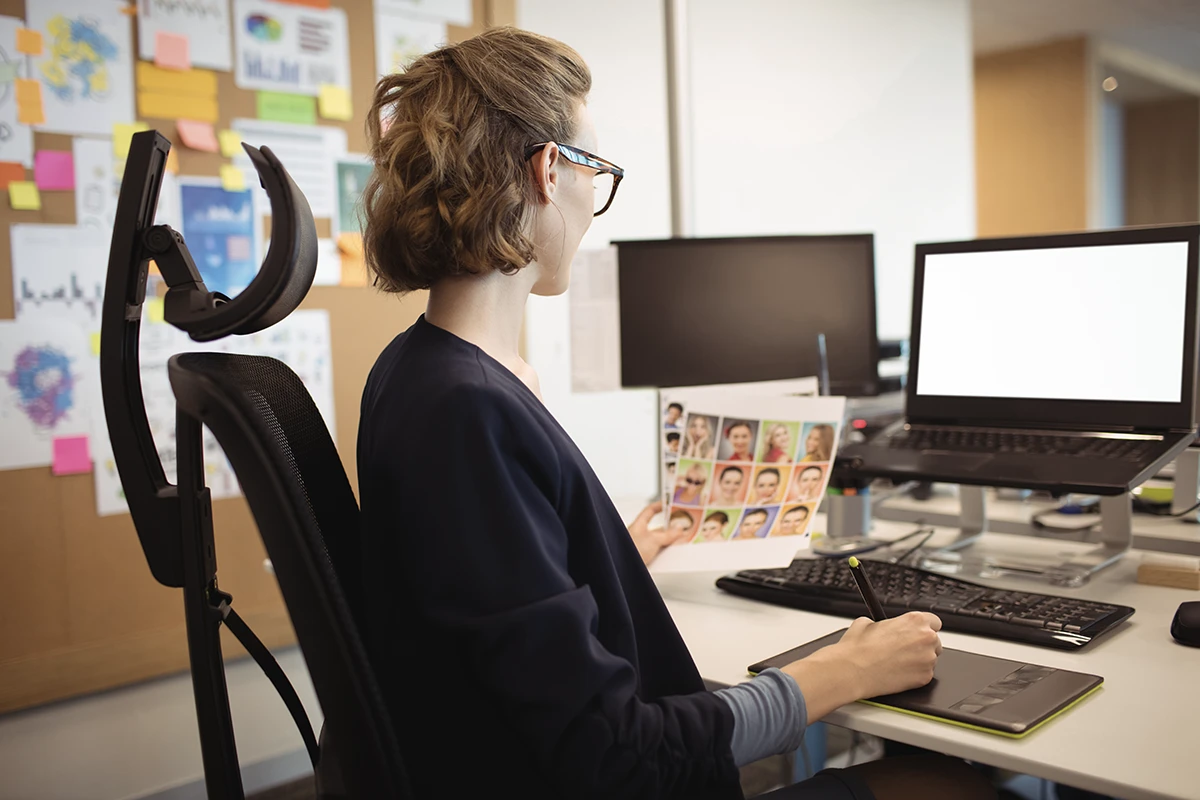
A home office does not have to look expensive to work well. I’ve rebuilt my own setup three times over the years, and every single time the biggest gains came from free adjustments, not new gear. The goal of ergonomics is to reduce awkward posture, repetitive strain, glare, and long periods without movement. Small setup changes can make a desk feel better within a day, and most adjustments cost little or nothing.
Start with chair, feet, and screen height
Your feet should rest flat on the floor or on a footrest. Your back should feel supported, and your shoulders should not be shrugged while typing. If your chair is too low, raise it and use a footrest to keep feet flat. If your monitor is too low, lift it with a stand or a stable stack of books until the top of the screen is roughly at eye level. When I set this up the first time, I used a stack of old textbooks under my monitor for nearly six months before finally buying a proper stand — it worked fine, just looked a little ridiculous on video calls.
Oregon OSHA’s workstation evaluation guide includes practical checks for lighting, monitor placement, and posture at this workstation evaluation PDF. Running through that checklist once can identify problems you have been ignoring for months.
If you use a laptop as your main computer, the screen height and keyboard position cannot both be ideal at the same time. A laptop stand that raises the screen paired with an external keyboard and mouse solves this problem cleanly and without much expense.
Put frequently used items within easy reach
Your keyboard and mouse should sit close enough that your elbows stay near your body at roughly a ninety-degree angle. If you constantly reach for a notebook, phone, or second screen, move it closer or change your desk layout. Reaching seems harmless until you repeat it hundreds of times per day across years of work.
Lighting matters significantly. Reduce glare by placing the monitor at a right angle to windows when possible, so neither sunlight nor artificial light shines directly into the screen or your eyes. Use a task light aimed at documents rather than blasting the entire room with overhead light, which can cause reflections and eye strain during screen-heavy work. I made the mistake early on of putting my desk directly facing a west-facing window — by mid-afternoon every day I couldn’t see my screen at all without the blinds down, which then made the room too dark for anything else.
Cable management may seem like a cosmetic issue, but tangled cables around your feet create trip hazards and make it harder to adjust your setup when needed. A simple cable tray or set of clips can keep things cleaner and reduce the number of times you kick something accidentally under your desk.
Movement is part of the setup
No chair, no matter how well designed, can make eight motionless hours healthy. The best ergonomic advice is to change positions regularly. Stand up, stretch, refill water, or walk for a few minutes between deep work blocks. Even a very good static desk setup works best when your body changes position throughout the day.
A simple technique is to stand or walk briefly once per hour. Some people use a timer, a scheduled video call, or a recurring calendar reminder to prompt movement. Whatever method you choose, the goal is to break long periods of sitting rather than being perfectly still for the entire workday. I’ve found a recurring calendar alert works far better for me than a phone timer — the timer was too easy to dismiss without thinking, but a calendar block with a name like “stand up” is harder to ignore.
If you have the option of a standing desk or a desk converter, experiment with alternating between sitting and standing. Standing for brief periods can relieve pressure on the lower back and improve alertness, though standing all day brings its own discomforts. The key is variation, not a permanent switch from one static position to another.
Noise, temperature, and the work environment
Ergonomics extends beyond the desk. If your workspace is too cold, too warm, too noisy, or too dim, your body and concentration pay the price. Address major environmental problems before investing in expensive desk equipment. A well-lit, comfortably heated, reasonably quiet space will outperform a perfectly configured desk in a distracting or uncomfortable room.
Acoustic comfort is particularly relevant in home offices shared with family, roommates, or pets. Noise-canceling headphones, a white noise machine, or simple door placement can make concentration easier without requiring construction.
The best ergonomic setup is the one you can maintain every day without thinking about it. Start with the simplest adjustments, measure the difference in how you feel at the end of a workday, and refine from there.
Accessories worth adding to a home office
After addressing the basics of chair, monitor, keyboard, and lighting, a few additional items can meaningfully improve a home office environment. A good headset or microphone improves call quality for both you and others on video calls, which can reduce the mental fatigue that comes from straining to hear or repeatedly asking people to repeat themselves. A comfortable, practical monitor arm can free up desk space and allow finer screen adjustment than a fixed stand.
An anti-fatigue mat is useful if your work includes any standing, either at a standing desk or during phone calls when you tend to stand and move around. These mats cushion the feet and reduce lower limb fatigue during extended standing, and the comfort difference is noticeable quickly.
Managing the psychological workspace
Working from home introduces boundary challenges that a physical office does not. Without a commute or a distinct physical separation between work and home, many remote workers find it difficult to mentally transition out of work mode at the end of the day. Establishing simple rituals that signal the workday’s end, such as shutting down work applications, physically tidying the desk, and leaving the workspace, helps the brain shift between modes more effectively than simply closing the laptop lid.
Natural light during working hours supports alertness and mood in ways that artificial light generally cannot fully replicate. Positioning the desk near a window, or ensuring that you spend time near natural light during the workday, is worth prioritizing in your workspace arrangement. If natural light is limited in your home, full-spectrum light bulbs can partially compensate, though they are not an equivalent substitute.
Reviewing and improving the setup over time
Your home office needs are likely to change as your work evolves. Revisit the setup every few months to check whether your chair height, monitor position, lighting, and peripheral placement still match how you are actually working. If a new project requires longer video calls, different documents on screen simultaneously, or more physical reference materials, the optimal setup may shift accordingly.
The most common mistake after making ergonomic improvements is assuming the work is permanently done. Desks accumulate clutter, chairs get adjusted accidentally, and slowly creeping posture habits can undo improvements made weeks earlier. A ten-minute quarterly check against the basics of chair, screen, keyboard placement, and movement habits costs very little and preserves the benefits of the original setup over the long term.
Written by Maria Chen, BloggedTopics Consumer Technology Editor. Last reviewed and updated August 20, 2026.
