Pet Microchip Registration Guide: What Every Pet Owner Needs to Know
A microchip is one of the most effective tools available for reuniting lost pets with their owners—but only when it is registered correctly. This pet microchip registration guide explains how microchipping works, why registration is a separate and critical step, how to keep your information current, and what happens when a lost pet is scanned at a shelter. I learned most of this the hard way after a neighbor’s dog turned up at our local shelter with a chip that led nowhere, and it prompted me to go check my own pets’ registrations that same week. Whether your pet was recently chipped or you have had them microchipped for years and are not sure if your information is up to date, this guide gives you everything you need to make the chip work as intended.
How a Pet Microchip Works
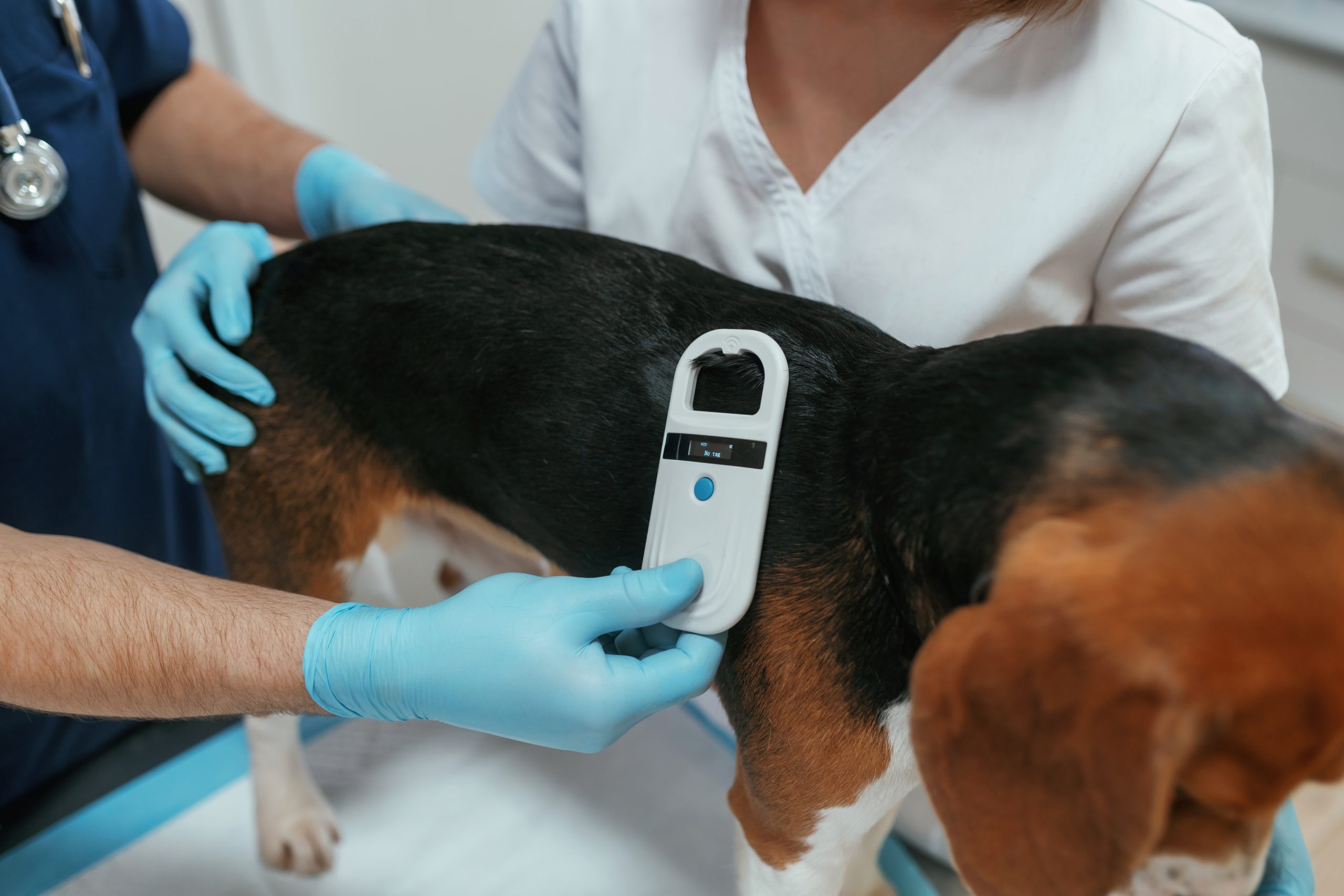
A pet microchip is a passive radio-frequency identification (RFID) device about the size of a grain of rice. It is implanted under the skin, typically between the shoulder blades, using a needle similar to the kind used for vaccinations. The procedure takes only a few seconds and causes minimal discomfort comparable to a routine injection.
The chip contains a unique numeric ID—typically 15 digits for chips that meet the ISO 11784/11785 international standard. The chip itself has no battery and emits no signal on its own. When a scanner is passed over the implant site, the chip briefly activates and transmits the ID number to the scanner’s display. Shelters, veterinary clinics, and animal control officers use handheld scanners to read chips from found or surrendered animals.
Critically, the chip does not contain your contact information. It contains only the ID number. Your contact information is stored in a separate database linked to that number—and that database lookup is how a shelter connects the chip to you.
Why Registration Is a Separate Step (and Why So Many People Miss It)
This is the most important point in this entire guide: microchipping and registering are not the same thing. A chip that is not registered in a searchable database is nearly useless for reuniting you with a lost pet. Studies have found that a significant percentage of microchipped pets in shelters cannot be reunited with their owners because the chip is either unregistered or the contact information on file is outdated.
When a veterinarian implants a chip, they may offer to register it with a specific database—but this step is sometimes skipped, incorrectly communicated, or completed with only partial information. Some clinics enroll the chip in a manufacturer-affiliated registry that may not be the one a shelter searches first. It is the pet owner’s responsibility to confirm that the chip is registered and that the registration is current. When I checked my own dog’s chip after assuming the vet had handled everything at the time of the implant, I found the registration had gone through under a “pending” status with the clinic’s own fax number still listed as the contact — not mine. It took one phone call to fix, but I would never have known without checking.
Which Database Should You Use
The United States does not have a single mandatory national microchip registry, which is the source of much confusion. Multiple registries operate independently, and shelters may search different ones. The most practical solution is to register with a registry that participates in a universal lookup tool.
The American Animal Hospital Association (AAHA) operates the AAHA Universal Pet Microchip Lookup Tool, which searches participating registries simultaneously. Registering with any participating registry means a search through this tool can find your pet’s information. AAHA maintains a list of participating registries on their lookup page.
Common national registries include:
- HomeAgain
- 24PetWatch
- AKC Reunite
- Found Animals Registry (free)
- PetLink
Some registries charge a one-time or annual fee; others are free. Free registries that participate in the AAHA lookup tool are fully functional—cost does not determine whether a chip can be found. The Found Animals Registry offers free lifetime registration for any chip number. I’ve used the free option for two of my own pets and never noticed any difference in how quickly they’d turn up in a lookup compared to a paid registry a friend uses.
How to Register Your Pet’s Microchip
- Find your pet’s chip number. This is typically on the documentation from the vet who performed the implant—usually a small card or sticker included in your pet’s paperwork. If you no longer have it, your vet can look it up in their records. You can also confirm it by having any vet scan your pet.
- Visit the registry website of your choice. Choose one that participates in the AAHA universal lookup tool.
- Enter the chip number and your complete contact information. Include your full name, current address, home phone, mobile phone, and email address. Add an alternate emergency contact if the registry allows it.
- Pay any registration fee if required, or complete the free registration process.
- Receive confirmation. Most registries send an email confirming the registration. Save this for your records.
- Test the lookup. Go to the AAHA universal lookup tool, enter your pet’s chip number, and confirm that your registration appears in the results.
That last step—actually testing the lookup—is the one I’d push hardest on. I’ve found that skipping it is exactly how people end up with a registration that silently failed or was never submitted at all.
Keeping Your Registration Current
Registration is not a one-time task. It requires active maintenance to remain useful.
- Update your address when you move. This is the most commonly missed update. Log into your registry account and change your address before or immediately after relocating.
- Update your phone number when it changes. A disconnected number on file is as useful as no number at all.
- Update ownership information if the pet is transferred or adopted. If you give a pet to a new owner, the new owner needs to update the chip registration in their name. Sellers and rescues should remind adopters of this step explicitly.
- Check your registration periodically. Log in every year or two to confirm your information is current and the account is still active.
Microchipping Laws and Requirements
Requirements vary by location. Some municipalities require microchipping for dogs and sometimes cats. Many places require microchipping for dogs already deemed dangerous. Some countries—including the UK, Australia, and New Zealand—have national mandatory microchipping requirements for dogs. If you travel internationally with a pet, microchipping is usually mandatory and must be done before certain vaccinations to be recognized by destination countries. The USDA APHIS (Animal and Plant Health Inspection Service) publishes international pet travel requirements that include microchip specifications for U.S. travelers taking pets abroad.
Microchipping vs. Tags: Why You Need Both
ID tags and microchips serve complementary purposes. A tag is visible and immediately readable by anyone who finds your pet—a neighbor, a good Samaritan, a mail carrier. It requires no scanner and gets your pet home fastest in most situations. A microchip is permanent, cannot be lost or removed, and is the backup that works when the collar is missing. Both together give your pet the best chance of being identified and returned.
Keep your pet’s collar and ID tags current as well. If your phone number changes, replace or re-engrave the tag. Some pet owners also use QR-code pet tags that link to an online profile—these are a useful supplement but should not replace a registered microchip.
What Happens When a Shelter Scans a Found Pet
When an animal arrives at a shelter as a stray, staff members typically scan for a microchip as one of the first intake steps. If a chip is detected, they note the ID number and run it through the AAHA universal lookup tool and possibly individual registry databases. If a matching registration is found with current contact information, they contact the owner. This process can happen within hours of a pet’s arrival. Without a registered chip or with outdated registration information, the chip provides no path back to you.
This pet microchip registration guide exists because the gap between chipped and properly registered is where pets get lost in the system. Ten minutes of registration work, followed by periodic updates when your information changes, is the entire investment required to make a microchip perform as intended.
Written by Kevin Alvarez, BloggedTopics Home & Family Editor. Last reviewed and updated August 20, 2026.
